Sunday, February 7, 2010

Printing to Windows 7 printer from OSX 10.5

Recently upgraded home machine which serves our printers / file shares from XP -> Win 7 Professional - after nasty spyware infection. (That's another story. I would just say - having a boot disk of Ubuntu to restore the registry was great - Since we did not have XP restore console, or restore XP boot disk) However, even after I was able to use kewl tools like  Malwarebytes and Counterspy and  Combofix to remove the vast majority of the crap (Along with a bit of Hijack this, and diligent observation with Process Explorer... Things were stable, but we  still did not trust the resulting system... Plus it was heavily loaded and sagging due to 6 years of built up cruft. Thus the move to Win 7.

Post-upgrade, OS X machine would not print to Win7 direct connet printer, or browse shares on the Win7 box. A few things seemed to help fix this problem.
  • Re-share printer - less than 15 characters in share name, no blanks.
  • Edit Local policies->Security -> Network Security- set: 
    • "Send LM & NTLM -- use NTLMv2 session security if negotiated" and
    • Turn off "require 128 bit encryption"
  • In Win 7 Network sharing center
  • Make sure that OS X has the proper workgroup set in sys prefs -> network -> advanced -> wins
  • Reboot Windows 7

Later I discovered that some had fixed the problem by sharing the printer from windows via lpd.
http://social.answers.microsoft.com/Forums/en-US/w7performance/thread/bd920e46-dbeb-4bb2-a38e-8791facd0608  As obsessive as I am about figuring things out, I did not try this yet.

Monday, January 4, 2010

Messing around with Java & Eclipse

I already had Java installed from Apple site I have latest version of Mac OS X 10.5 Leopard(10.5.8) with recent Java updates installed on a core 2 duo Mac.
Need to run Java 6 EE with Eclipse EE version.

Useful info:
  1. Make Java 1.6 the default Java execution environment: Run Java Preferences.app (in Finder -> Applications -> Utilities). I changed the Java versions to default to using Java 1.6 by drag Java SE 6 to the top of the application and applet lists.
  2. Which java version am I running?:  In a terminal window use: /usr/libexec/java_home
  3. When creating a Java project, Eclipse prompts for the desired JRE version in the new project dialog box. To ensure that Eclipse tracks the language differences between versions, also select the desired version in Preferences->Java->Compiler->Compiler compliance level to match your project.
  4. Use the 64-bit Cocoa version of Eclipse 3.5.1.
Thanks to http://excitedcuriosity.wordpress.com/2009/11/16/java-1-6-eclipse-on-mac-os-x
OTOH, see http://eclipse.dzone.com/articles/eclipse-galileo-mac-cocoa-or

    Thursday, December 10, 2009

    Meraki and Aerohive - Meraki bad whitepaper

    I had an assignment to design a wireless network for a mid-sized hotel.
    The specification was for Cisco, but IMHO Cisco Controllers are bloatware for this kind of situation
    • Small amount of in-house IT at client site +
    • Big cost of Cisco controllers (+ possible ongoing configuration and maintenance needs)
    • = bad choice
    I have been out of the 802.11 game for a year or two doing other things, so thought I'd read up. Hotels are an interesting application - especially in a business hotel - you have a potential for very high spiky usage at conferences. Security might be deemed unimportant, however to conserve precious bandwidth you need to restrict access. Plus here are the ineresting questions of what is the easiest way to distribute and manage logins, and if you can protect guests from each other that might not be a bad idea. So some kind of built-in easy radius server would be good.

    I looked into meraki and aerohive  -
    The "fat AP is out"  right? Thin is in.. OOps - not anymore. These APs  look like they do a fair amount of processing, but are in some way "collaborative" and "self-managing" (WRT sharing the airspace and routing traffic at least). So I  would call them "fat and sassy" APs-  But the preferred term by vendors seems to be "Smart".

     I am still reading up and playing with Aerohives nice online demo tool.  Meraki looks like they have really geared their product to exploit Cisco's pricing  in this area - in terms of ease of manageability and price - they even have a Meraki vs Cisco calculator.  -Which admittedly has list prices for Cisco stuff that you will never pay.

    Even so, their "cloud controller" option makes sense for hotels and other public access networks.

    HOWEVER. Reading Meraki's product literature, (a network security whitepaper) I was bothered by evil half-factiods, which made me wonder if they are sloppy or sleazy in other ways.

    Quoth Meraki"
    WPA2-Enterprise, also known as 802.1x,
    WPA2-Enterprise is not known as 802.1x - Maybe you mean 802.11i  ?
    is considered by many to be  the “gold standard” of wireless security. In this architecture, each client(known as a supplicant) uses a unique username and password to authenticate on the wireless network.
    Um, WPA2- Enterprise - using 802.1x/EAP can do  a number of different types of authentication, including certificates.

    The client’s username and password are checked against any Active Directory or LDAP server that supports the RADIUS protocol (and most do).
    You really don't need to mention Active Directory here, because that has nothing to do with it.
    Also Radius is not really necessary, though almost always used. I would reword this as:
    "The most common form of WPA2-Enterprise uses 802.1x authentication to  to allow the access point to check user and password information for each client against an authentication server. This authentication server is almost always a RADIUS server  "
    Meraki supplies an integrated RADIUS server that companies can use instead of a stand-
    alone server if they wish.  The primary advantages of WPA2-Enterprise are that it is highly secure and scales well. IT administrators can re-use their existing authentication
    infrastructure, so as employees come and go they are automatically added and removed from the wireless network. There is also no need to VPN.   Since 802.1x is a relatively new standard,
    Whoa! 802.1x has been around before wireless lans. It is not so new.
    client support is still evolving.  As of 2009, support is common on most laptop and PC operating systems. However, support for PDAs, scanners, and other devices still
    varies. In addition, client configuration can sometimes be complex.
    While implementation of 802.1x has often been highly complex, Meraki
    has simplified the process significantly. 802.1x takes just a few clicks to
    deploy, and is no more difficult than implementing WPA2-PSK.
    I am not sure on the preceeding because there is some legitimacy to what they are saying here.
    But I think it should be worded "implementation of 802.1x authentication in WPA2" to clarify.


    Am I just being picky? or maybe my understanding of the issues is rusty?

    Tuesday, December 8, 2009

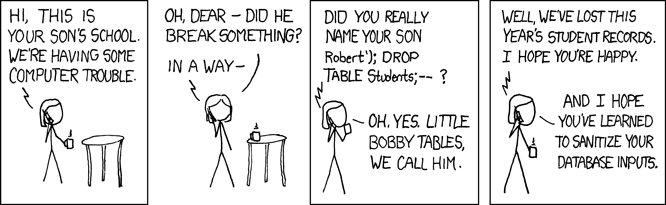
    xkcd

    I just wasted about 3 hours reading through 250 xkcd  comix  and classifying onese I like into categories. no time to make links now, (maybe that task is best
    Forthwith: done with vi, not blogger)

    Good but unclassified as of yet
    http://xkcd.com/434/
    http://xkcd.com/426/ href=http://wiki.xkcd.com/geohashing/Main_Page> OMFG - build it and they will come...
    http://xkcd.com/420/
    http://xkcd.com/419/
    http://xkcd.com/416/
    http://xkcd.com/413/
    http://xkcd.com/481/
    http://xkcd.com/482/
    http://xkcd.com/492/
    http://xkcd.com/489/
    http://xkcd.com/497/
    LOL funny " however on review of your qualifications, we've decided to sentence you to death...
    http://xkcd.com/498/
    http://xkcd.com/539/
    http://xkcd.com/550/
    http://xkcd.com/576/ read the mouseover text last!
    http://xkcd.com/604/
    http://xkcd.com/646/
    http://xkcd.com/649/

    Tearjerker
    http://xkcd.com/502/

    I resemble that remark. things i think about  or / what a good idea, i cant believe I didnt think of it/do it
    http://xkcd.com/503/
    http://xkcd.com/525/
    http://xkcd.com/529/
    http://xkcd.com/539/ statistically significant other - I wish I had thought of that.
    http://xkcd.com/539/ - this is something I (occasionally) agonize over :) ! (or is it !:)  (personally I like to insert a space-- ;) )
    http://xkcd.com/559/
    http://xkcd.com/609/ - This is me. I suffer from terminal tab sprawl
    http://xkcd.com/616/
    http://xkcd.com/635/ - I thought about this when I read Enders Game recently. What a book.
    http://xkcd.com/666/

    what is a roomba dueling harness?
    http://xkcd.com/506/

    ;)
    http://xkcd.com/511/
    http://xkcd.com/535/
    http://xkcd.com/565/
    http://xkcd.com/585/
    http://xkcd.com/588/ - how I really felt at pep rallies growing up
    http://xkcd.com/589/
    http://xkcd.com/605/
    http://xkcd.com/611/
    http://xkcd.com/645/

    ones I put up at work
    http://xkcd.com/528/
    http://xkcd.com/612/
    http://xkcd.com/619/
    http://xkcd.com/627/

    True
    http://xkcd.com/538/
    http://xkcd.com/554/
    http://xkcd.com/651/

    Good web sites:
    There are 56,929 articles on the Simple English Wikipedia today http://xkcd.com/547/

    Tuesday, November 17, 2009

    Recovering from "database cleaning" - mySQL - innoDB

    OR: "How to cover your ass when your belt snaps and you forgot to wear your braces.  (Proof of the wear clean underwear rule.)
    OR: When work is a little like duck hunting with Dick Cheney.


    Today we had a bit of a scare. Someone decided to "clean up the databases".

    Who needs to worry about this:

    When you can just do it yourself :
    mysql> drop foo;
    "oh... you mean that 'foo' was in use ?  ? I was sure  it was useless." 
    Rule 1: Always backup  before you delete. 
    Always. Always. Always.

    Memorize this: # mysqldump -u username -ppassword database_name > FILE.sql 

    Thankfully the db was for an app with only a small amount of data.  So though a loss would be sad, it would not be catastrophic.  The other saving grace is that the app involves  undergrad students, not say, Vice Presidents, or Dept heads.  This is good as undergrad students are slightly above janitors in the pecking order.

    I was training a new person when I got pulled in to the issue. So she got to experience the heavy breathing and waving of hands. Now that she has been exposed to the dark underbelly of our procedures on her first day, If she decides to stay, at least she has seen the worst.

    This brings us to:
    Rule 2: Backups are nice, but Restores are nicer.


    It turns out that the restore plan was to copy all the files back in to place in the database directory in question.  We kept restoring the files from backups, and guess what, they all had the original creation date still. No data! We questioned our backups. But something seemed fishy to me, so I poked around and noticed that the other database directories had additional files,  e.g. .myi and .myd files - and this directory had only .frm files.  
    From this I discovered -(thanks Google: )

    That it was an innodb database not a myisam db, and so the data was stored elsewhere (by default in an ibdata1 file, in the directory one level up)


    So I was pretty much able to restore the ibdata file and not lose anything. And Someone was pretty happy.


    Sunday, November 15, 2009

    Win 7 - VMware Fusion - sloww..

    [UPDATE] +2G memory later... problem resolved...

    My darling little MacBook with VMware Fusion/Windows 7 when intially installed was unconscionably slooow.
    I had all the settings on the VM decently set. 1 processor and 1 GB mem for Win 7,
    no 3D graphics. Set Win user exeperience to optimize for performance in GUI.

    But after installing VMware tools (If you can't figure that out you should be shot in the head because Fusion prompts you about 11000 times to do it.)
    ...And installing piles of windows updates and rebooting a few times, things seem better.  This makes sense, because windows generally has to load lots of patches after an install.  I have seen windows grind to a halt in if you download the windows updates, and install, but don't reboot. My hunch is that the cause has something to do with memory use.

    We'll see....

    -----
    Model Name:    MacBook Pro
      Model Identifier:    MacBookPro5,5
      Processor Name:    Intel Core 2 Duo
      Processor Speed:    2.26 GHz
      Number Of Processors:    1
      Total Number Of Cores:    2
      L2 Cache:    3 MB
      Memory:    2 GB
      Bus Speed:    1.07 GHz

    OS X version 10.5.8
    build 9l31a

    VMware Fusion 2.0.6

    Thursday, October 22, 2009

    Windows 7 Virtual Machine under VMware Fusion

    I recently got a new MacBook Pro. I have used various flavors of VMware in the past (VMware workstation under Windows and Linux desktops; VMware Server and ESX 3.5 ; VSphere) - But never  Fusion.
    It's pretty darn easy to install. However, the version of VMware fusion I have installed (2.0.6) does not have a virtual machine type for Windows 7  In the past It seems that you can use another VM type with an unsupported OS with good results.. In fact the VMware Team fusion blog recommends using Win 2008 server virtual machine.
    Other salient points they suggest:
    • Disable 3D Acceleration
    • Disable Shared Folders
    ...Wah, my .iso file was corrupt. See you in 4 hours afer I get another copy. ...two weeks later
    Well it turned out that the version of Windows 7 that I was entitled to was an "upgrade" version. And therefore crippled and not bootable. I could have  gone through a whole install of Windows XP, and then upgraded it. But what a waste. But how to make it bootable?

    The most straighforward brain-dead way I found is to copy the .iso to a windows machine, and use a program microsoft provides which will make my .iso file into a bootable DVD or USB : http://store.microsoft.com/Help/ISO-Tool .  However, this is an annoying and inelegant solution. All I  really want to do is to graft one little boot loader file into the .iso which is already on my disk. To accomplish this I have to burn my non-bootable iso to a dvd or otherwise copy it to a windows machine, and then burn it to a dvd or bootable usb stick there, and then bring it back.? Wah.

    Yikes. I would much rather spend 5 hours learning about how to do this  smarter than spend 1 hour doing something dumb.

    Hmm! Boot sectors and bootloaders and .isos oh my!

    I got some inspiration from this post:
    http://milliamp.org/2009/windows-7-64-bit-on-an-aluminium-macbook-pro/
    To look at mkisofs on OS X as the means to slam that boot sector into my existing .iso file.

     Steps:
    1. Download mkisofs, from helios: http://www.helios.de/news/news07/mkisofs.phtml
    2. Open a terminal window (terminal.app) and copy the executable into somewhere in your path (e.g. /usr/bin or /usr/local/bin )
    3. Find the existing .iso file in finder and double click it to mount it as a file system. 
    4. Use mkisofs to create the new .iso file by copying all the files from the mounted .iso file together with the new boot sector file:
    mkisofs -v  -hfs-unlock  -N   -U -udf  -no-emul-boot   -no-hfs  -nolimit-pathtables  -ignore-changed-files  -b boot/etfsboot.com -c boot.catalog  --osx-hfs  -iso-level 4 -o /Users/yournamehere/yourshinynewisofile.iso  /Volumes/thenameofoldisofile

    not sure that all flags are necessary (e.g. -ignore-changed-files, --osx-hfs, -nolimit-pathtables?). The key discovery was that etfsboot.com is the boot image in /boot on the non-bootable iso, which is written to the boot sector (-b flag) by mkisofs.

    And guess what it worked!